
How to Choose the Right A4 Copier Paper for Your Office or Business
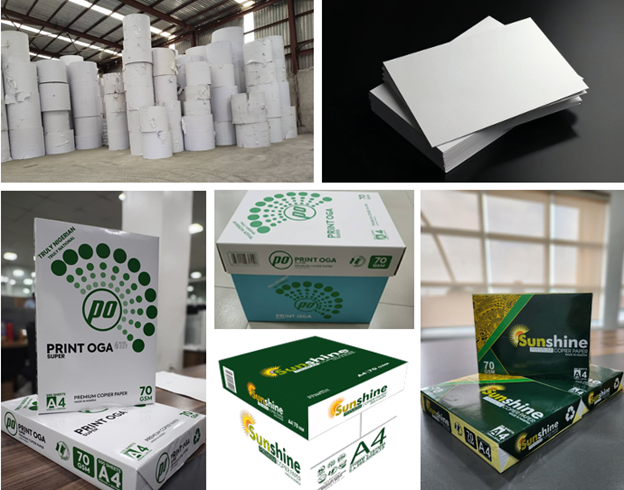
Introduction
Choosing the right A4 copier paper might seem like a small decision, but it can have a big impact on your daily operations. From print quality to machine performance and overall costs, the type of paper you use matters more than most people realize.
Whether you run a corporate office, a school, a print shop, or a small business, understanding what to look for in copier paper can help you make smarter purchasing decisions.
Why the Right Paper Matters
Not all A4 papers are the same. Using low-quality paper can lead to:
- Frequent paper jams
- Poor print quality
- Excessive dust in printers
- Increased maintenance costs
On the other hand, good quality paper ensures smooth printing, sharp output, and better efficiency over time.
Key Factors to Consider When Choosing A4 Paper
1. Paper Weight (GSM)
GSM stands for grams per square meter and indicates the thickness of the paper.
- 70 GSM – lighter and more affordable, suitable for basic printing
- 75–80 GSM – standard office use, offers a good balance of quality and cost
- 80+ GSM – thicker, more durable, ideal for professional documents
For most offices, 80 GSM is the preferred choice because it delivers better durability and print performance.
2. Brightness and Whiteness
Brightness affects how clear and sharp your prints appear. The higher the brightness, the better the contrast between text and paper.
- Higher brightness = sharper text and more vibrant images
- Lower brightness = duller prints
If your business relies on presentations or client-facing documents, brighter paper is a better option.
3. Smoothness and Finish
Smooth paper allows printers to apply ink or toner evenly, resulting in clean and professional output.
Rough or low-quality paper can:
- Cause uneven printing
- Increase wear on printer components
A smooth finish also improves the overall feel of the document.
4. Opacity
Opacity refers to how much light passes through the paper. Higher opacity means less show-through from the other side.
This is important for:
- Double-sided printing
- Professional documents
- Reports and presentations
Low-opacity paper can make documents look less polished.
5. Compatibility with Printers
Make sure the paper is suitable for your type of printer, whether laser or inkjet.
High-quality copier paper is usually designed to work well across different machines, reducing the risk of jams and ensuring consistent results.
6. Dust Content
Low-quality paper tends to produce more dust, which can build up inside printers and lead to frequent servicing.
Choosing a low-dust paper helps:
- Extend the lifespan of your printer
- Reduce maintenance costs
- Improve overall efficiency
Cost vs Quality: Finding the Right Balance
While it may be tempting to go for the cheapest option, low-cost paper often leads to higher long-term expenses due to machine damage and inefficiency.
Instead, focus on value:
- Consistent quality
- Reliable performance
- Reduced waste and downtime
In many cases, slightly higher quality paper actually saves money over time.
Why Businesses Are Choosing Locally Manufactured Paper
More businesses in Nigeria are now turning to locally produced paper products. This shift is driven by:
- Better availability
- Competitive pricing
- Support for local industries
- Reduced dependency on imports
Local manufacturers are increasingly meeting global standards, making them a reliable option for businesses of all sizes.
Final Tips Before You Buy
Before making a purchase, consider:
- Your daily printing volume
- The type of documents you produce
- Your printer specifications
- Your budget and long-term needs
Testing a sample before buying in bulk can also help ensure the paper meets your expectations.
Conclusion
Choosing the right A4 copier paper is more than just picking a brand. It is about understanding quality, performance, and long-term value.
By paying attention to factors like weight, brightness, smoothness, and compatibility, businesses can improve efficiency, reduce costs, and produce better-quality documents.
In the end, the right paper supports not just your printer, but your overall business productivity.
